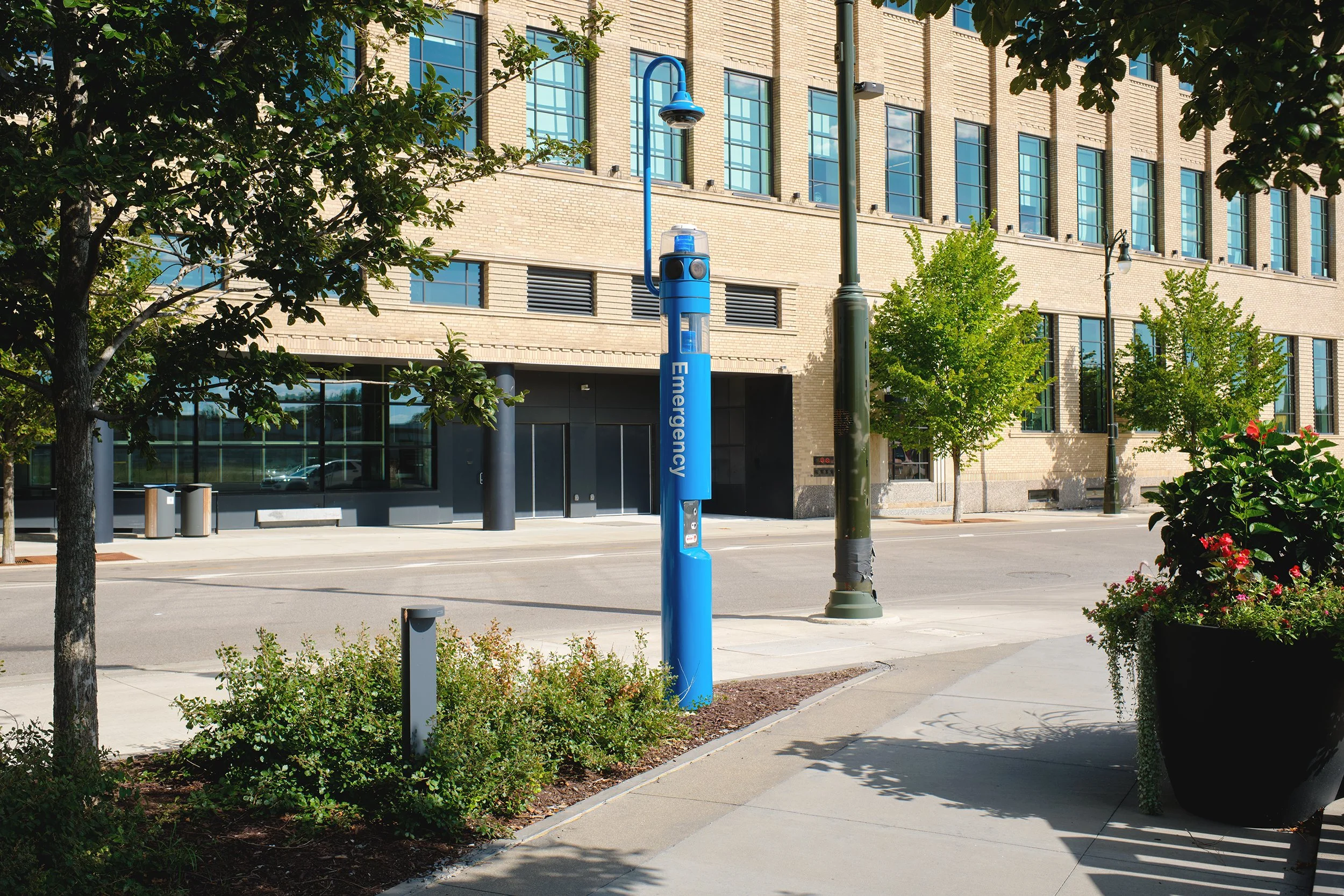
Choosing the right power option for a Help Point® starts with the infrastructure available at the site, the equipment it needs to run and what must keep working during a power interruption.
Depending on the model and configuration, available approaches include conventional AC/DC power and Power over Ethernet (PoE) with optional UPS battery backup supporting essential functions during outages. Where continuous power is not available or practical, NightCharge® can draw from a switched electrical circuit, while solar provides a complete standalone solution.
This guide outlines when each approach makes sense, explains how accessories and upstream network equipment affect power and communication continuity and offers five practical questions to help you evaluate your options.
Start with the complete system, not just the power source
A Help Point® along a campus walkway may appear to be a simple way to request help. Yet the complete installation can include a speakerphone, cellular connectivity, a visible strobe, a camera, area lighting or audio paging. Each addition affects the system’s overall power requirements.
That makes the better starting question: What does this Help Point need to operate, and what should continue working if normal power is interrupted?
A power option that supports the phone alone may not support every accessory. And a powered phone still needs a working connection to the people or systems receiving its calls. The right design considers the equipment, the site and the full communication path together.
First, understand what each power option does
Code Blue offers several power approaches. These approaches serve different purposes and are not always mutually exclusive. Some supply electricity during normal operation. Others use stored energy as part of a daily operating cycle or during an unexpected interruption.
| Power approach | Where it fits | Important limitations or questions |
|---|---|---|
| Conventional AC/DC | Sites with accessible electrical service | Is the circuit continuous, and does it have backup? |
| Power over Ethernet (PoE) | Supported devices using network infrastructure for power and data | Can the available PoE power class carry the complete equipment load? |
| NightCharge® | Sites with a switched circuit, such as a lighting circuit | Will the energized period adequately recharge the batteries? |
| Solar | Locations where utility power is unavailable or impractical | Can storage and worst-season generation meet the full load? |
| Uninterruptible power supply (UPS) | Supported CB 1 and CB 2 installations needing backup when normal power fails | Which components are backed up, and for how long? |
When wired power is available: AC/DC and PoE
Conventional AC or low-voltage DC power may be the simplest option when suitable electrical service already reaches the site. Before specifying it, confirm the incoming power requirements, the actual circuit serving the Help Point and whether that circuit is part of the facility’s backup-power system.
Power over Ethernet can simplify supported installations by carrying power and network data through Ethernet infrastructure. However, “PoE” is not one fixed power budget. Standard PoE, PoE+ and PoE++ differ in available capacity. A Help Point with multiple accessories may exceed even a higher-power PoE budget. Confirm the specific phone, lights, cameras and paging equipment before assuming one cable will power the whole system. Depending on the design, PoE splitters, injectors or power assemblies may also be needed to serve the supported equipment.
PoE also introduces an important continuity question: If the network switch supplying power goes offline, what happens to the Help Point and its call path? In some installations, backing up the switch or other network equipment is more relevant than adding a separate UPS at the Help Point.
When power follows a schedule: NightCharge
Not every accessible electrical circuit stays energized around the clock. A light pole, for example, may provide power at night but not during daylight hours. NightCharge is designed for that situation: It uses the energized period to operate the equipment and charge a battery that powers it during the off period.
NightCharge is therefore a planned daily power strategy, not a substitute name for an emergency UPS. Its suitability depends on the available charging window and the complete equipment load.
When conventional power is impractical: Solar
Solar can bring a Help Point to a location where extending electrical service would require substantial trenching, site work or disruption. The design must account for the full connected load, battery storage, shading and seasonal sunlight, particularly in winter. Maintenance and connectivity need equal attention.
For a detailed look at solar capacity, battery storage, installation costs and site planning, read Code Blue’s Solar Considerations Guide: https://codeblue.com/blog/solar-considerations-guide.
When normal power may be interrupted: UPS
An uninterruptible power supply is intended to provide temporary backup power when the normal supply is interrupted. Code Blue’s UPS options for supported CB 1 and CB 2 Help Points can be considered for new installations and eligible existing units where continued operation during power disruptions is important.
The CB 1 UPS is housed inside supported CB 1-e and CB 1-s units; the CB 2 UPS uses an exterior accessory enclosure for approved CB 2-a, CB 2-AP and CB 2-e configurations.
The supported configuration matters. The backup may prioritize essential functions, such as the phone and cellular connection, over accessories in a CB 1 installation. CB 2 configurations have different limitations because the battery and connected equipment determine how much backup time is available. A single published runtime should not be assumed to apply to every installation.
Most importantly, a UPS protects only the components and connections included in the backup design. A Help Point may have battery power but still lose its ability to place a call if required upstream switches, servers or other communication infrastructure are offline. That is why power continuity and communication continuity must be planned together.
Five questions to help you choose the right power option
Several power options may work for the same Help Point. These questions help narrow the choice based on the site, equipment and long-term needs.
What power is available at the site? Check for continuous electrical service, suitable PoE capacity or a switched lighting circuit. If extending power requires major site work, consider whether solar is practical.
What does the complete Help Point need to run? Include the phone, connectivity equipment, cameras, lighting and paging. Account for simultaneous use and accessories that may be added later.
What must keep working during an outage? Identify essential functions, required backup duration and the equipment included on the backup circuit. Runtime depends on the approved configuration and actual loads.
Will the communication path remain available? A powered Help Point may still be unable to complete a call if upstream switches, servers or gateways lose power. Check these dependencies along with any cellular connection.
What will installation and maintenance involve? Compare the cost of wiring or trenching, battery inspections and replacement, weather exposure and access for future service.
Design for the way the Help Point will actually be used
A campus walkway with a hardwired Help Point, a parking lot served by switched lighting power and a remote trailhead may each call for a different strategy. Even two towers on the same property may have different requirements if one includes a camera or paging system and the other does not.
Start with the site and the complete equipment configuration, then review how the system will operate during normal conditions and power interruptions. Where several power approaches are feasible, compare infrastructure, backup needs, installation demands and maintenance before selecting one.
For project-specific assistance, contact the Code Blue team to review the selected equipment, available infrastructure and continuity requirements.
Frequently asked questions
-
Not necessarily. The answer depends on the total connected load and the capacity of the PoE source, any splitter or power assembly and the supported devices.
-
Potentially, depending on the equipment and system design. Each added component increases power demand, which must be considered alongside solar generation and battery storage. Site conditions, seasonal sunlight and operating requirements also affect whether solar is practical. The CB 1-w solar tower carries a 200 W panel charging two 12 V, 75 Ah AGM batteries wired in parallel for 150 Ah total at 12 V.
-
No. NightCharge is designed around a regularly switched power schedule. A UPS is intended to provide battery backup during an interruption to normal power.
-
Yes. Code Blue offers UPS battery backup for supported CB 1 and CB 2 Help Points, including eligible existing installations. Retrofit compatibility depends on the model, existing equipment and configuration.
-
Backup power requirements depend on the equipment that must remain operational, its power consumption and how long it needs to function during an outage. Cameras, cellular equipment, lighting and audio paging can affect runtime. Any applicable project-specific backup-power requirements must also be considered.
-
Not automatically. The UPS supports its designated equipment, but upstream switches, servers or gateways may require separate backup power to maintain the communication path.